Purchase Price by Stores
Overview
Fitur ini untuk membedakan harga beli barang pada saat pembuatan store purchase order (SPO) berdasarkan entity store
- Default price store purchase order (SPO) mengunakan harga beli company
- Namun ada settingan agar SPO mengunakan harga beli toko (Check informasi setting)
Informasi Setting
Module Permission
- Company administrator enable managed user, bisa memberikan akses ke semua user
- Module Permission Price Tracking
- Edit user lalu pilih tab module permissions Price Tracking (Read, Create, Edit & Cancel)
- Module Permission Price Tracking

Company Setting
- Platform Adminstrator
- Use Store Supply Price
- Menu setup > company > company setting > edit > tab platform settings > store purchase order > use store supply price > save
- Checklist use store supply price maka proses store purchase order (SPO) mengunakan harga beli toko
- Unchecklist use store supply price maka proses store purchase order (SPO) mengunakan default harga beli company

Notes
- Jika produk dan store tidak terdaftar di price tracking maka harga yang muncul saat pembuatan store purchase order (SPO) mengunakan harga beli toko
- Untuk SPO harga yang muncul sesuai settingan use store supply price nya
- Price tracking purchase by warehouse berlaku juga untuk proses franchise purchase order (FPO)
Cara Mendaftarkan Price Tracking Purchase Price By Store
Langkah Ke-1
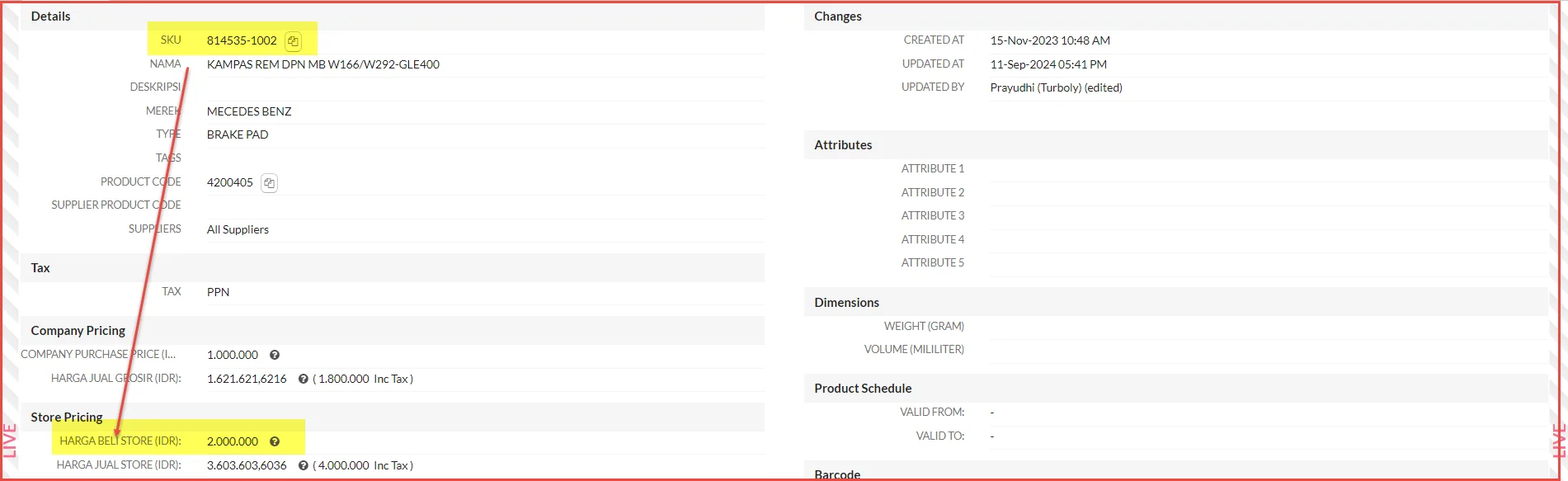
- Pastikan SKU sudah terdaftar beserta store purchase price nya
- SKU 814535-1002
- Store Purchase Price Rp. 2.000.000 (inc tax)
Langkah Ke-2
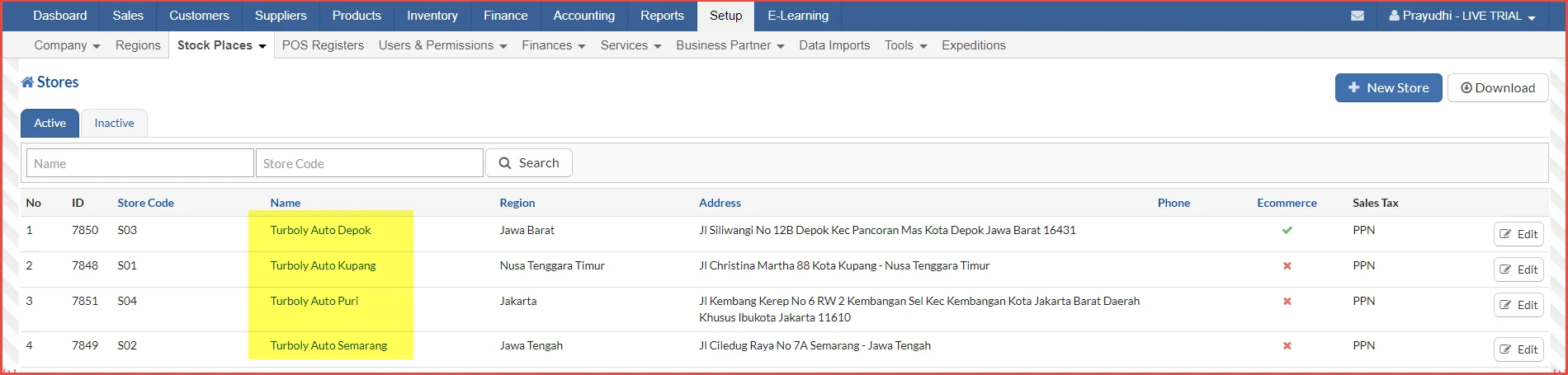
- Store yang terdaftar ada 4 entity
- Turboly Auto Depok
- Turboly Auto Kupang
- Turboly Auto Puri
- Turboly Auto Semarang
Langkah Ke-3
- Pilih menu product
- Lalu price trackings
- Jika belum muncul pastikan terlebih dahulu module permission "Read" terchecklist
- Selanjutnya pilih purchase price
- lalu pilih price by store

Langkah Ke-4
- Klik tombol new price store
- Jika belum muncul pastikan terlebih dahulu module permission "Create" terchecklist

Langkah Ke-5
- Masukan SKU "814535-1002"
- Pilih store yang ingin dibedakan store purchase price nya "Turboly Auto Depok"
- Checklist terlebih dahulu including tax nya
- Setelah itu masukan purchase price yang ingin di input "Rp. 2.500.000"
- Jika Sudah klik save

Langkah Ke-6
- SKU 814535-1002 untuk store turboly auto depok sudah terdaftar
- Klik tombol edit untuk merubah data yang sudah terdaftar
- Jika belum muncul pastikan terlebih dahulu module permission "Edit" terchecklist
- Klik tombol delete untuk menghapus data yang sudah terdaftar
- Jika belum muncul pastikan terlebih dahulu module permission "Cancel" terchecklist
- Lakukan cara seperti langkah ke-5 untuk mendaftarkan SKU 814535-1002 di store turboly auto semarang & kupang

Pengunaan Price Tracking Price By Store Di Store Purchase Order
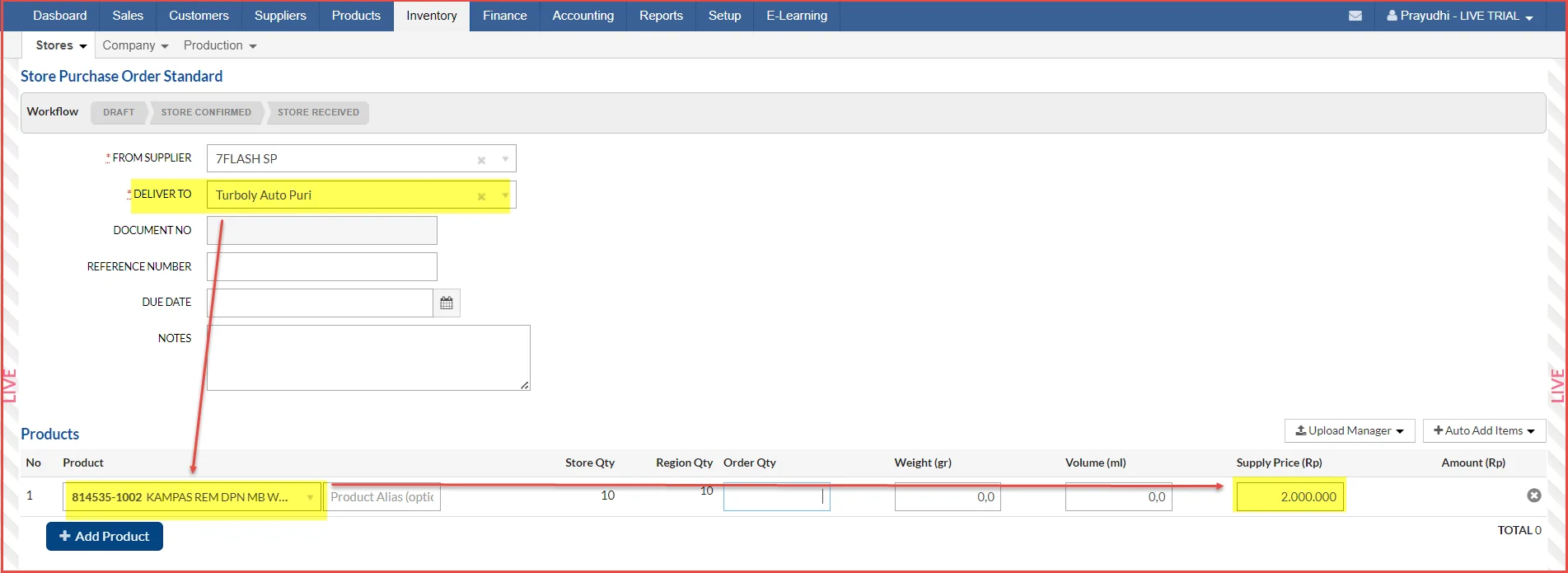
Store Purchase Order Dari Turboly Auto Puri
- Akan mengunakan default master store purchase price product Rp. 2.000.000
- Karena settingan mengunakan checklist use store supply price maka mengunakan harga beli toko
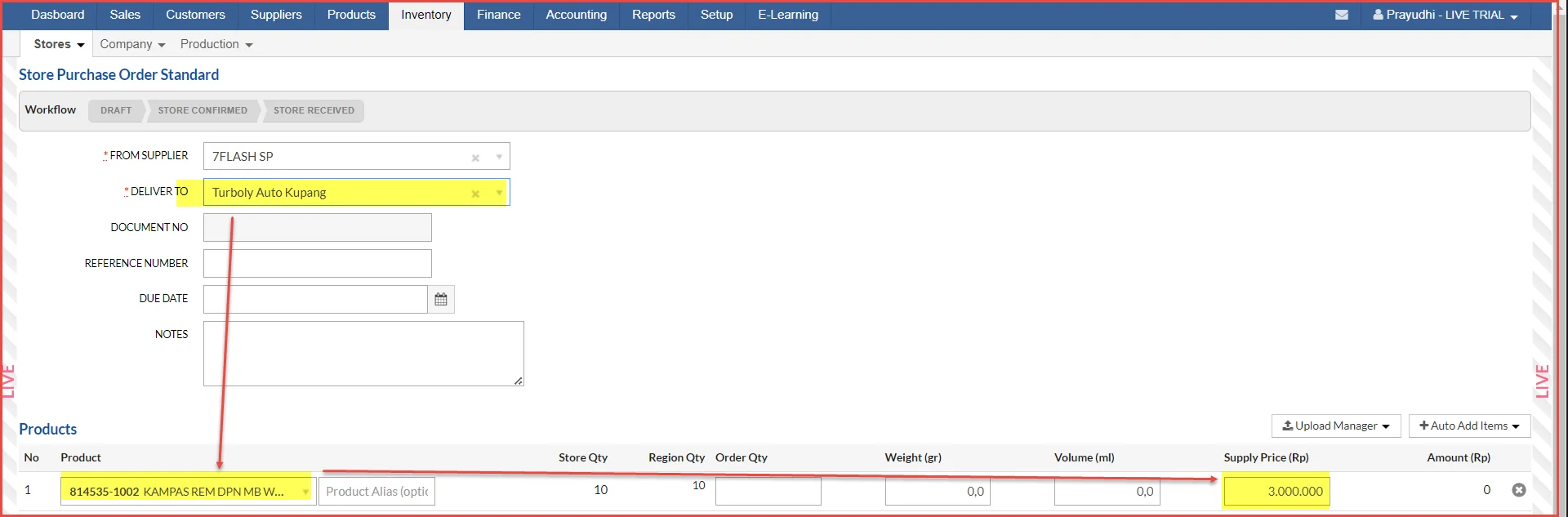
Store Purchase Order Dari Turboly Auto Kupang
- Akan mengunakan price tracking price by store turboly auto kupang Rp. 3.000.000
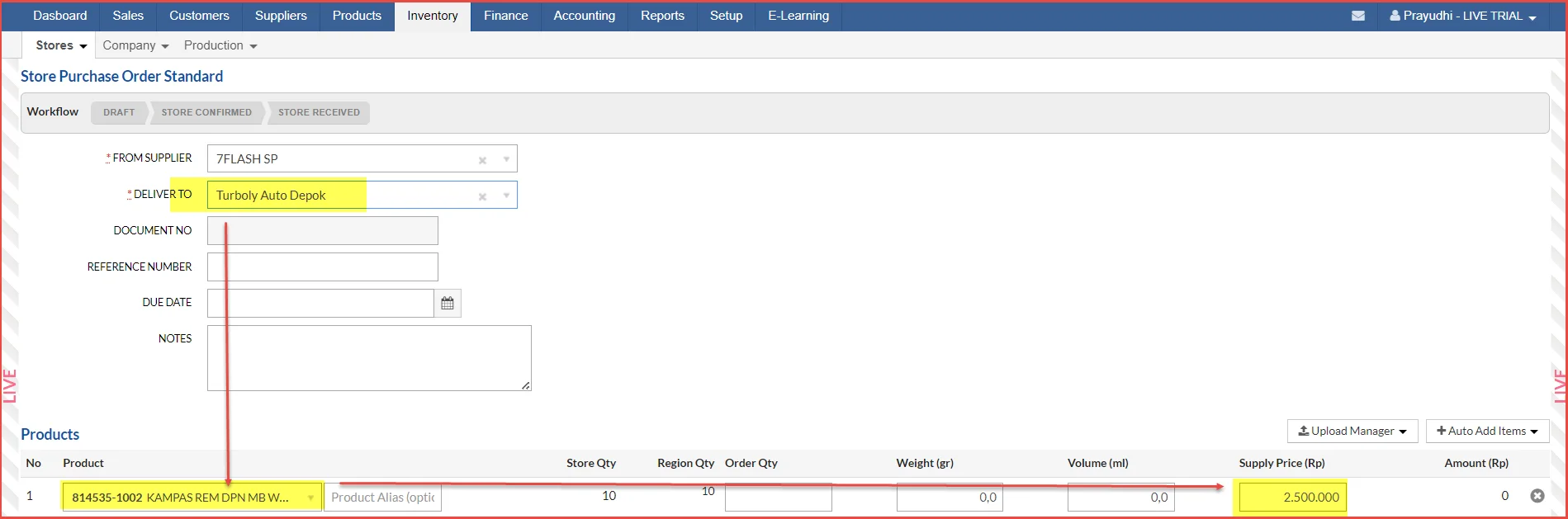
Store Purchase Order Dari Turboly Auto Depok
- Akan mengunakan price tracking price by store turboly auto depok Rp. 2.500.000
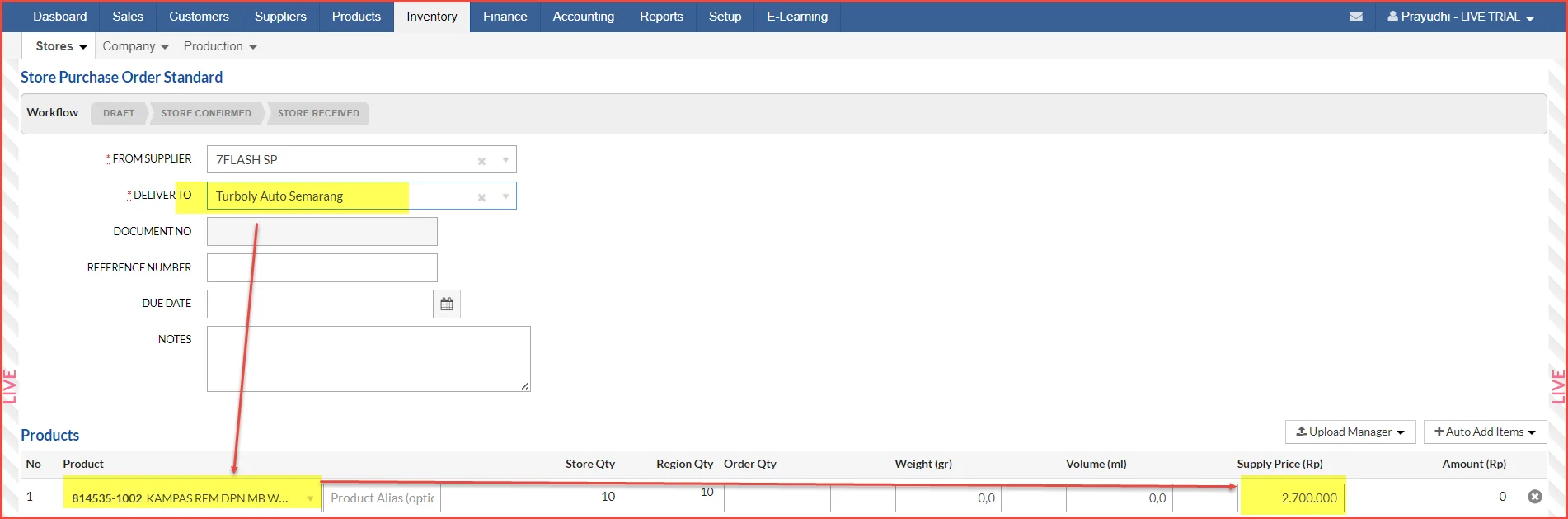
Store Purchase Order Dari Turboly Auto Semarang
- Akan mengunakan price tracking price by store turboly auto semarang Rp. 2.700.000